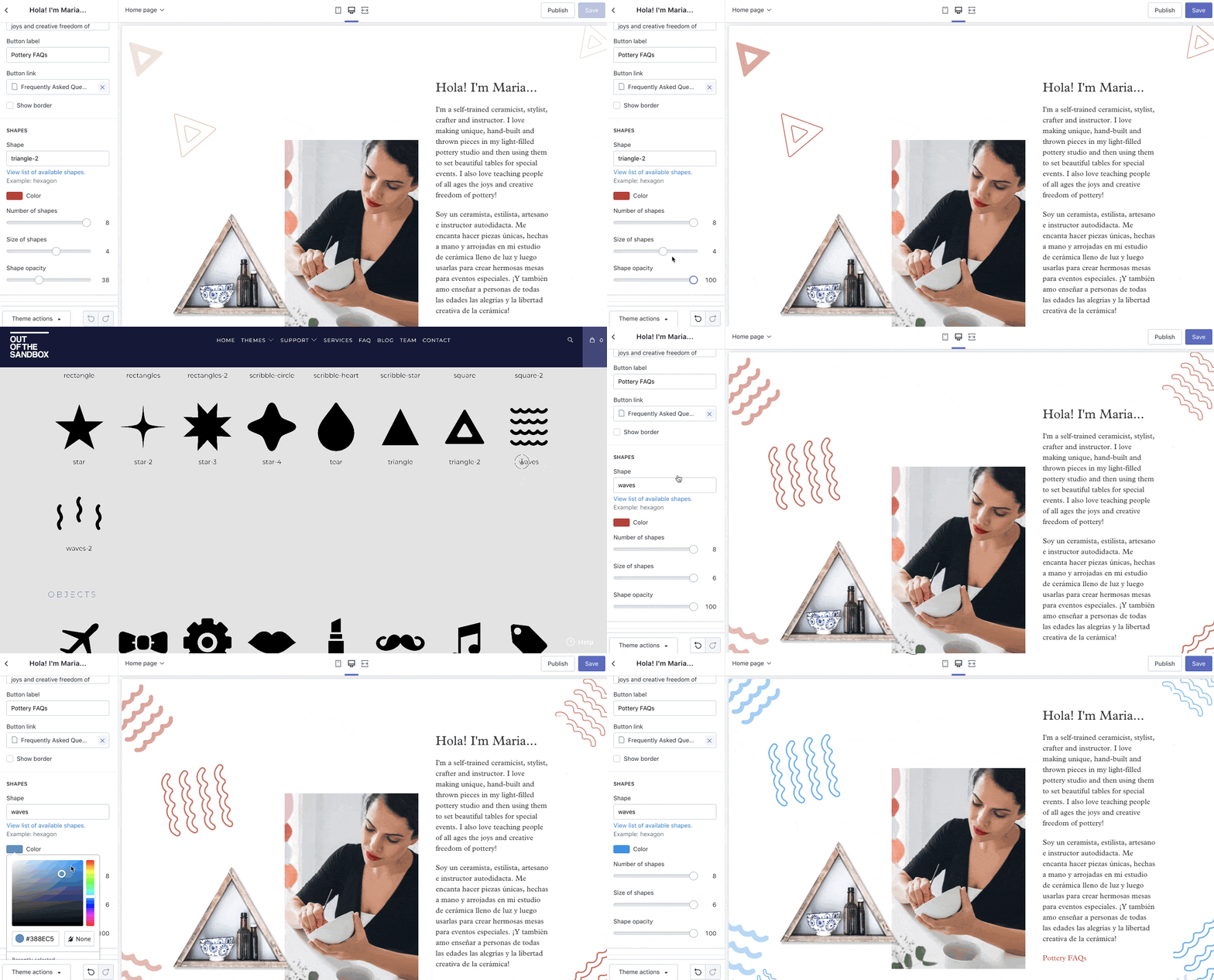
Our Artisan theme includes a setting to enable 'Shapes' for sections on the homepage, in the gallery page, FAQ page, blog page, and contact page.
These shapes get added to the background and feature a slight parallax effect when scrolling.
In This Article
Configuring Shapes
You can access the 'Shapes' setting by going into the Theme Editor (Customize) and clicking into the homepage section that you'd like to enable them on, or by clicking into one of the other pages (Gallery, FAQ, Blog, Contact).
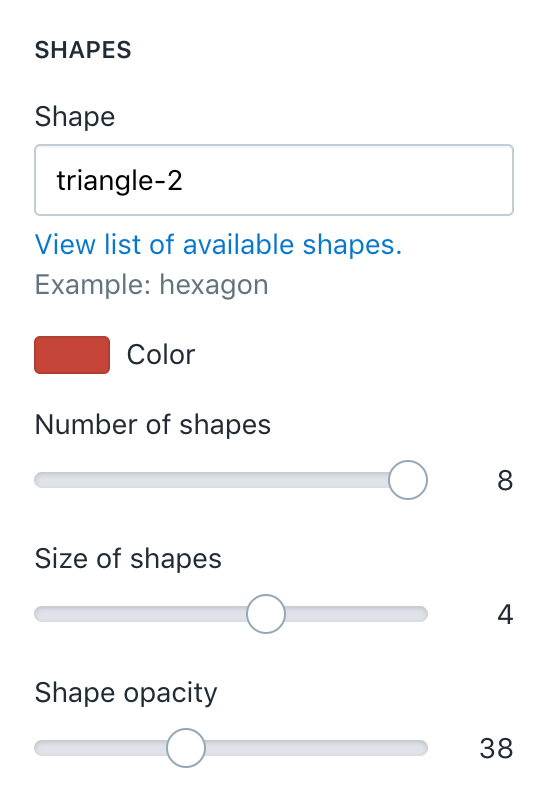
In the Shapes setting, you have the option of configuring the following:
Shape
- Click the 'view list of available shapes' link in the theme editor to choose a shape from our Shapes Library!
Color
Number of Shapes
- Choose from 0 - 8 shapes
Size of Shapes
- Choose from 1 - 6 in size
Shape opacity
- Choose from 1 - 100 in opacity
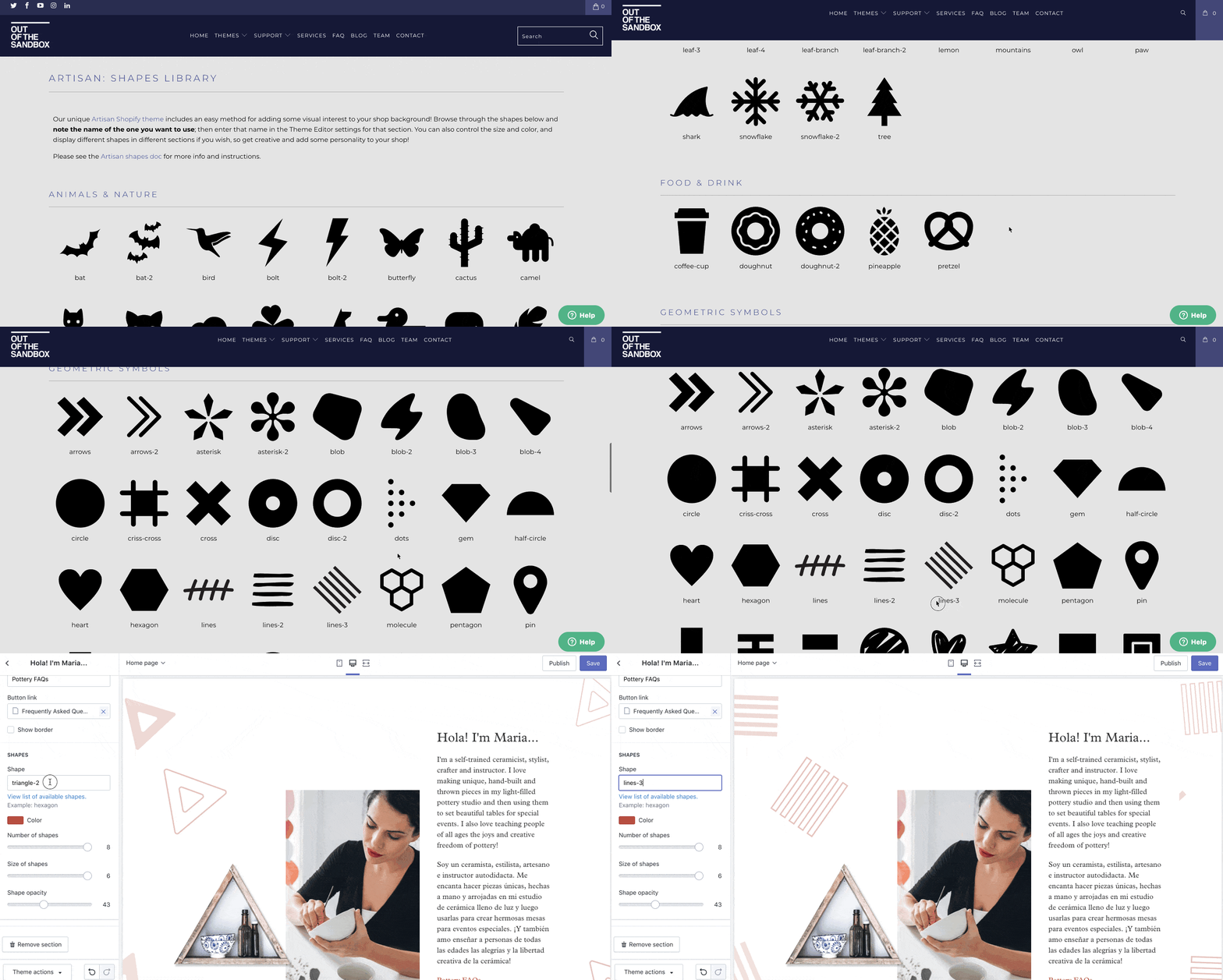
Shapes Library
Our Artisan Shapes Library comes with over 100 shape options to choose from! All you have to do to select a shape is to enter its name from the shape library into the 'shape' input field in your theme editor!
Shapes in Action:
* NOTE: May not be available on all sections, blocks or templates