
In This Article
- Enabling the Featured Product
- Choosing the Featured Product (First Product in Collection vs. Global Featured Product)
The Collections pages on the Artisan theme include the ability to enable a Featured Product. This is a great way to display a product or service that you'd really like to showcase on your site!
Enabling the Featured Product
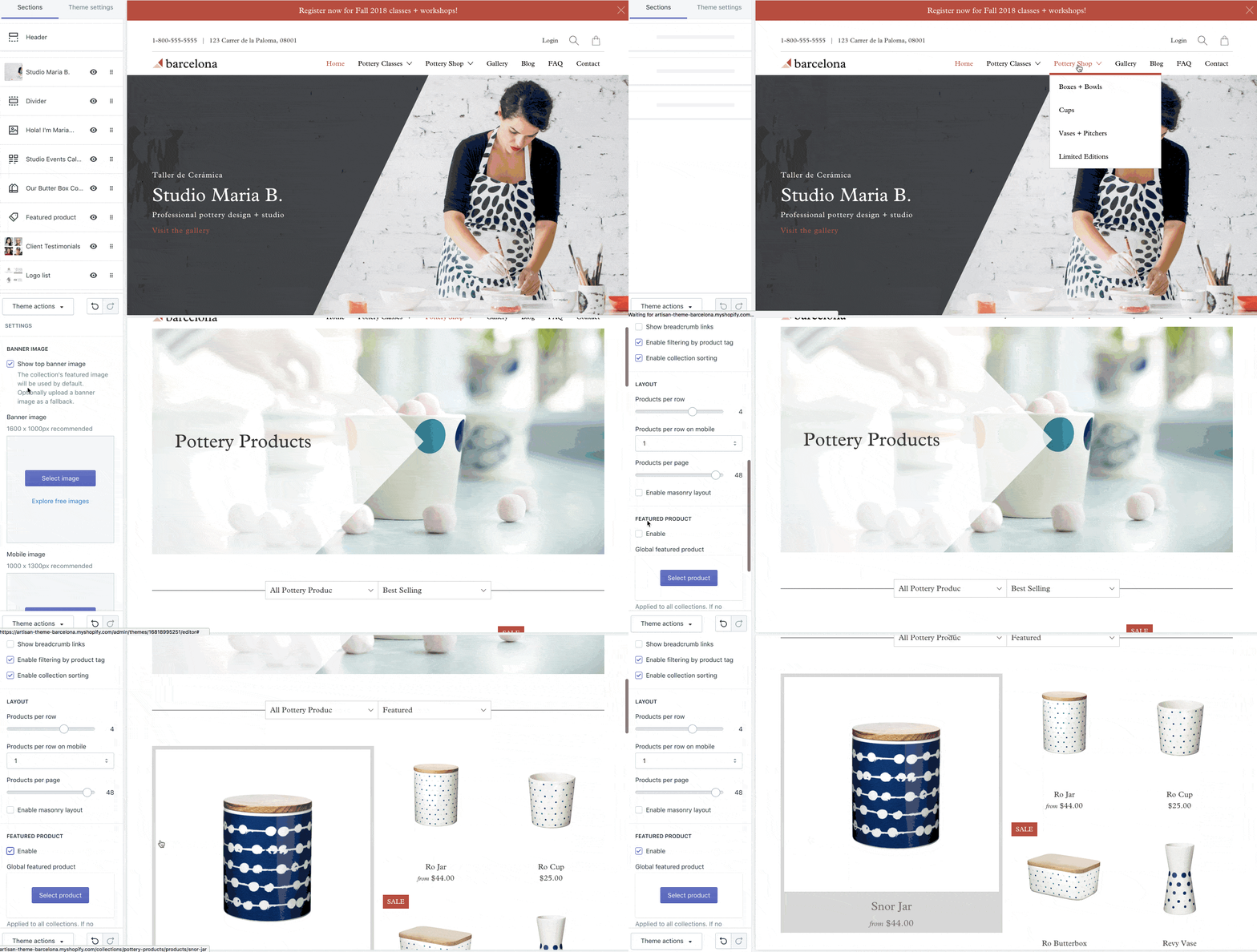
To enable the 'Featured Product' on your Collections pages follow these steps:
Step 1: From your Shopify Admin, under Online Store > Themes, click Customize.
Step 2: Navigate to a Collection page so the Sections in the theme editor update.
Step 3: Under Sections > Collection > scroll down to 'Featured Product' and click 'Enable.'
Choosing the Featured Product
First Product in Collection vs. Global Featured Product
By default, when you enable the 'Featured Product' on your Collections pages, the first product in the Collection will be used.
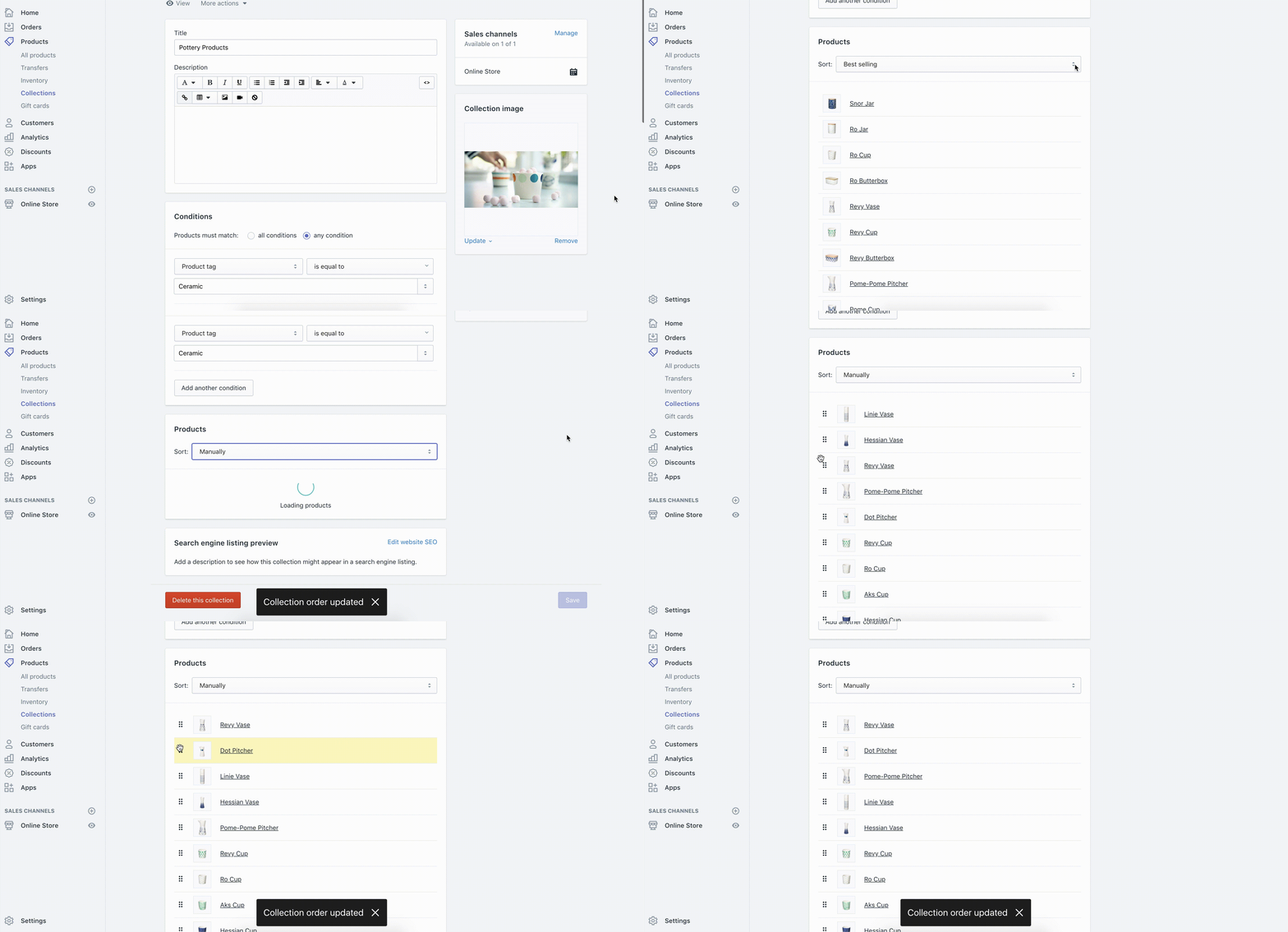
You can update the order your products get shown on each Collection by sorting your Collection 'Manually'.
Step 1: Head into your Shopify Admin > click into Products > Collections
Step 2: Scroll down to Products and update the 'Sort' setting to be 'Manually'
This way, you can be in control of which product shows up first in your collection.
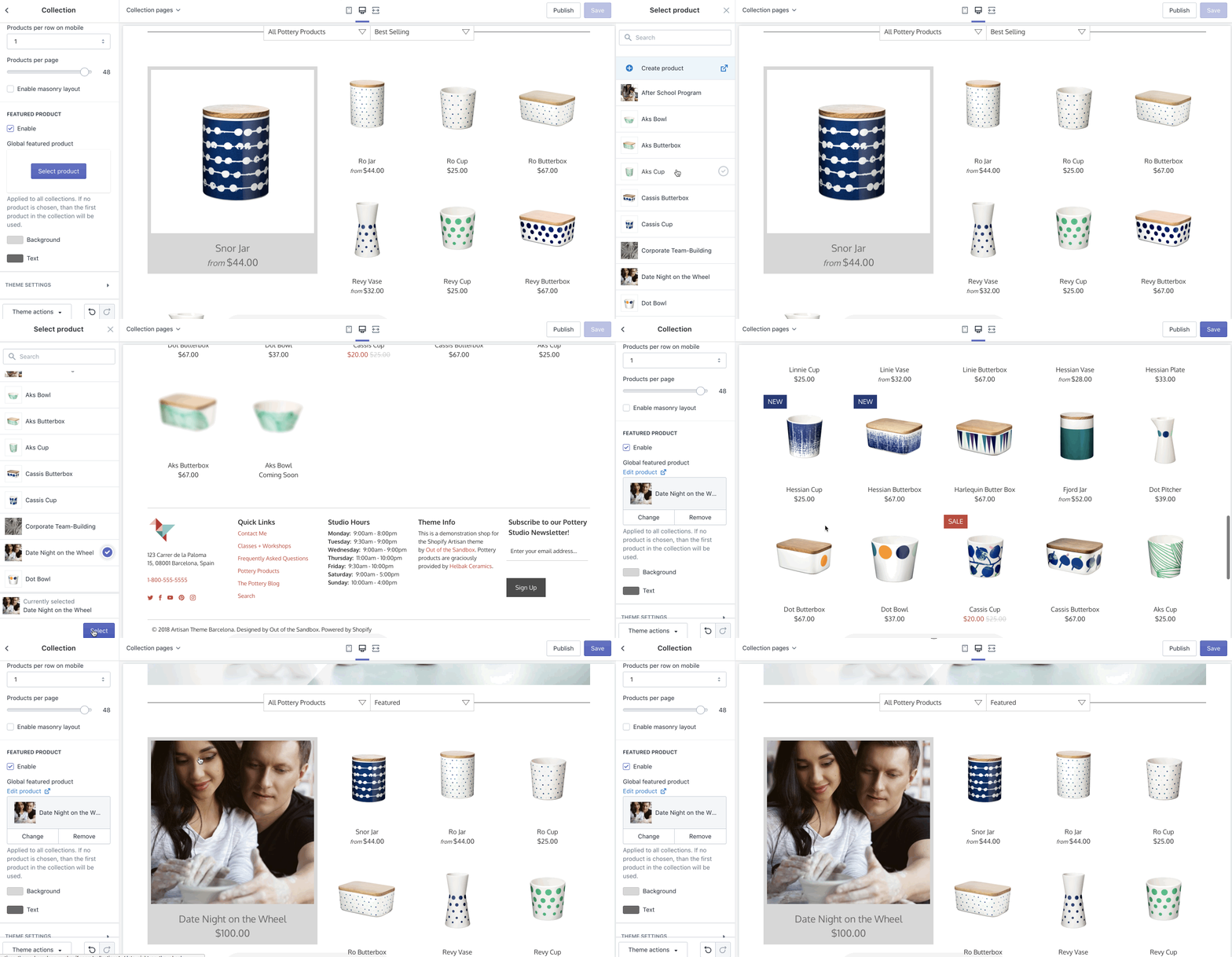
Alternatively, you can select a 'Global featured product' in the 'Featured Product' setting. If you select a 'Global featured product', it will apply to all Collections.
* NOTE: May not be available on all sections, blocks or templates